Hellishape21
Supporter Premium (Sparkle)
-
Joined
-
Last visited
Everything posted by Hellishape21
-
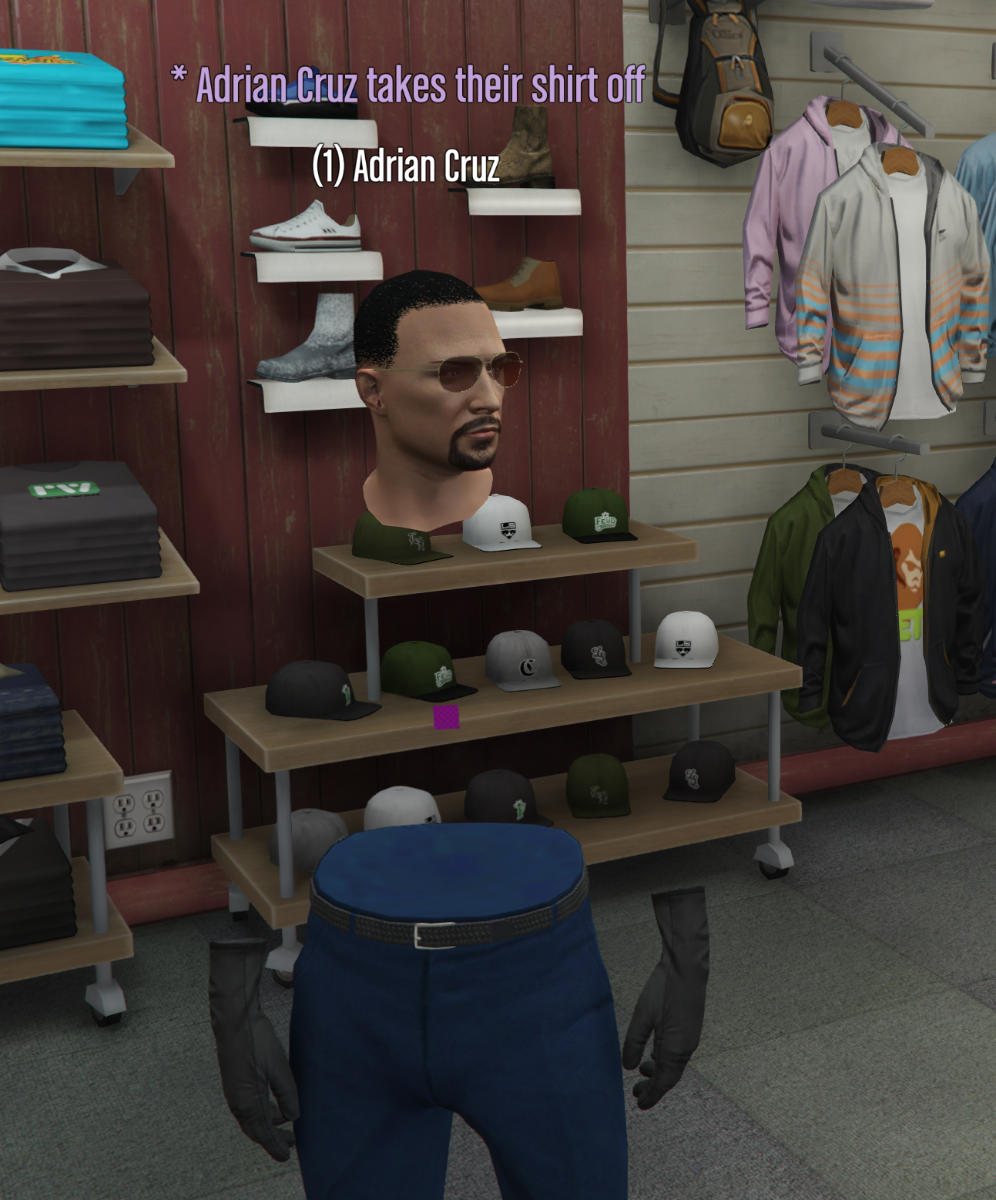
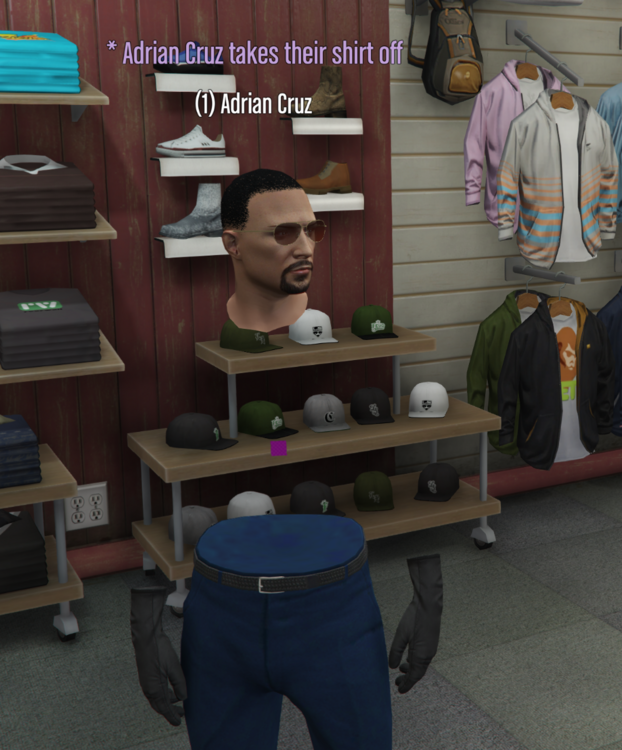
/shirt command removes shirt and makes torso invisible
-
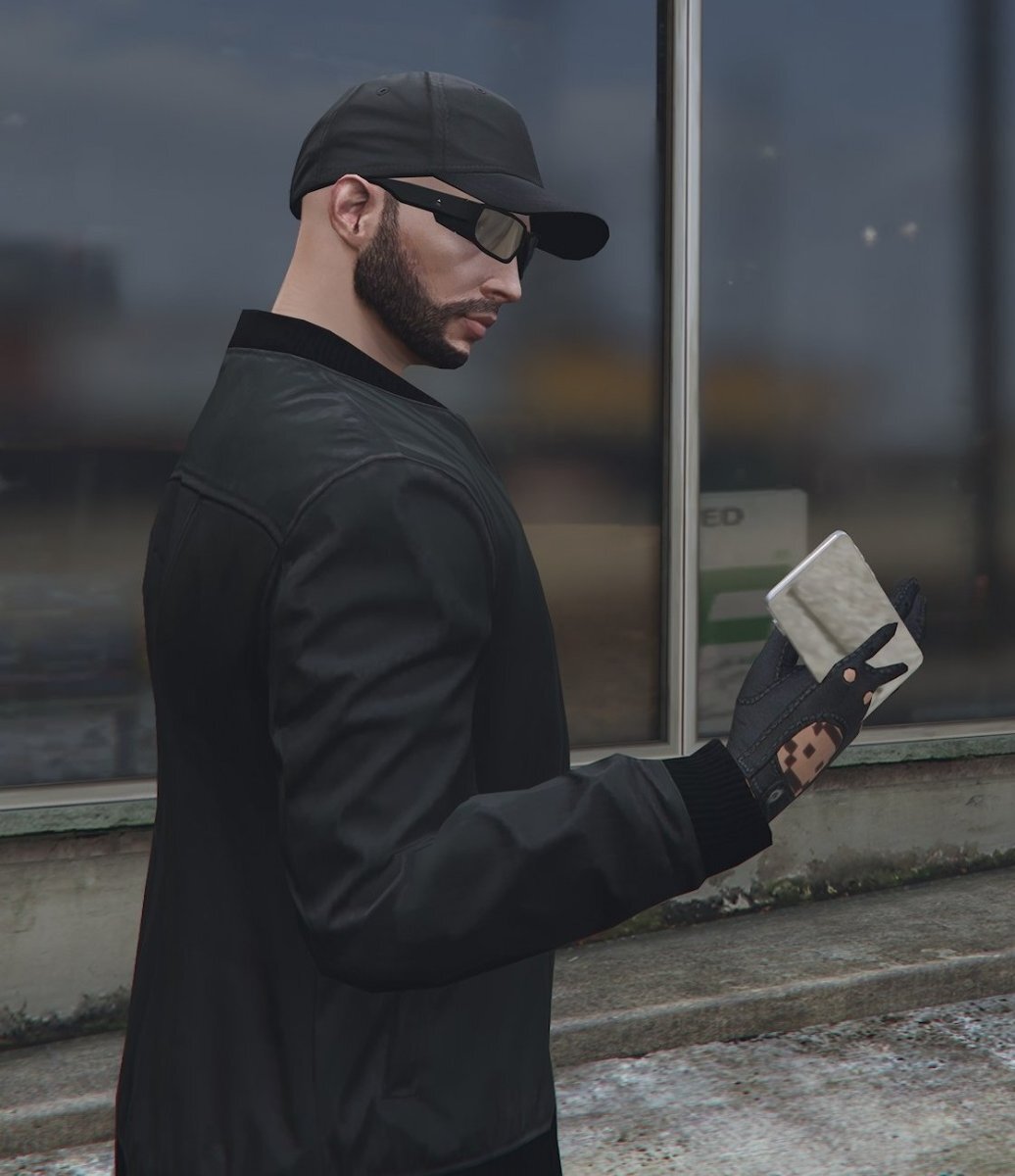
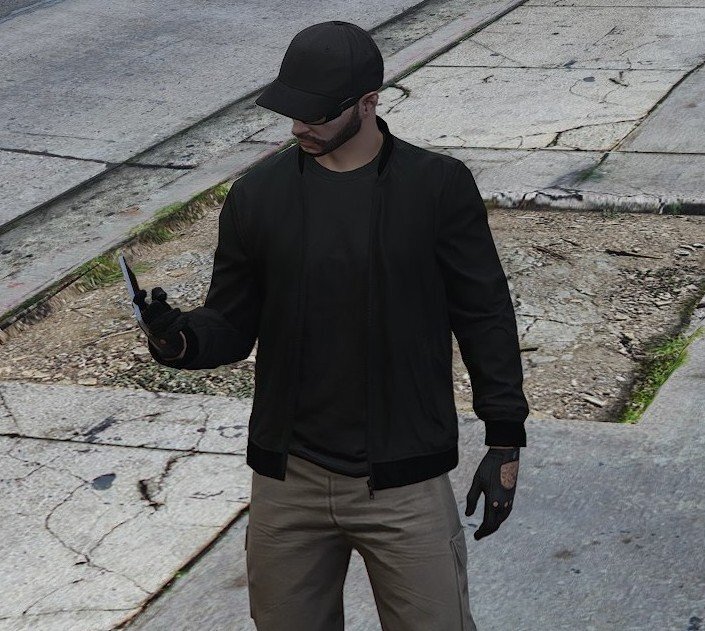
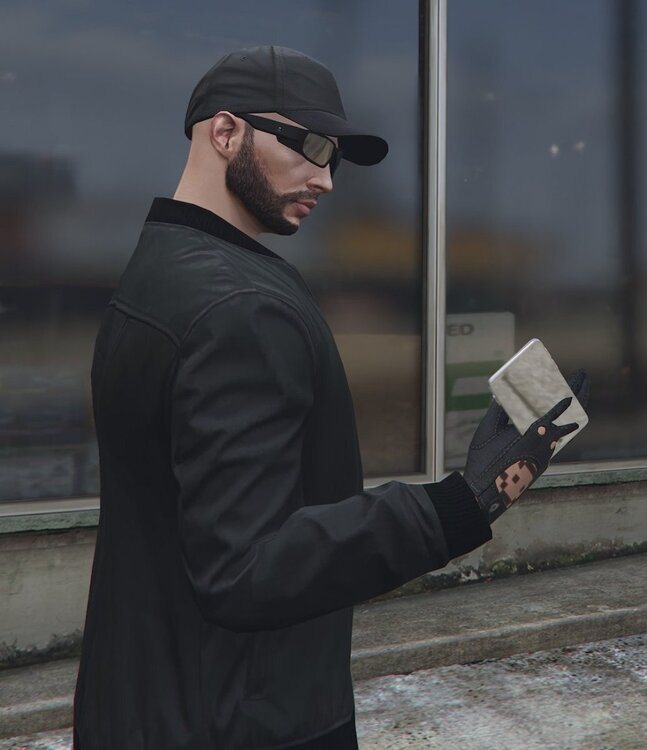
Phone prop after pulling out the phone is not aligned. See screenshots below.
-
Inventory system is working well, but it would be nice to be able to transfer items from containers while in another container. For example, opening a backpack while in the trunk to remove items, instead of having to take the bag out and move stuff around.
-
I feel like the carry weight could be upped a bit. Its hard to do some jobs, like mining or even farming. Just carrying an Id card, jackhammer, and cash puts you close to the max weight which makes it difficult to manage inventory or mine consistently without empyting all the time.
-
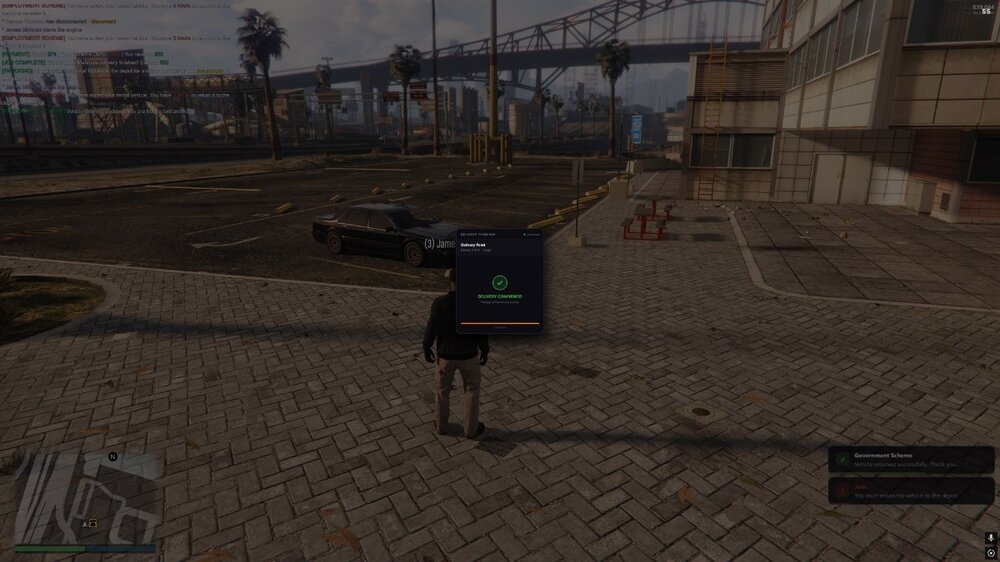
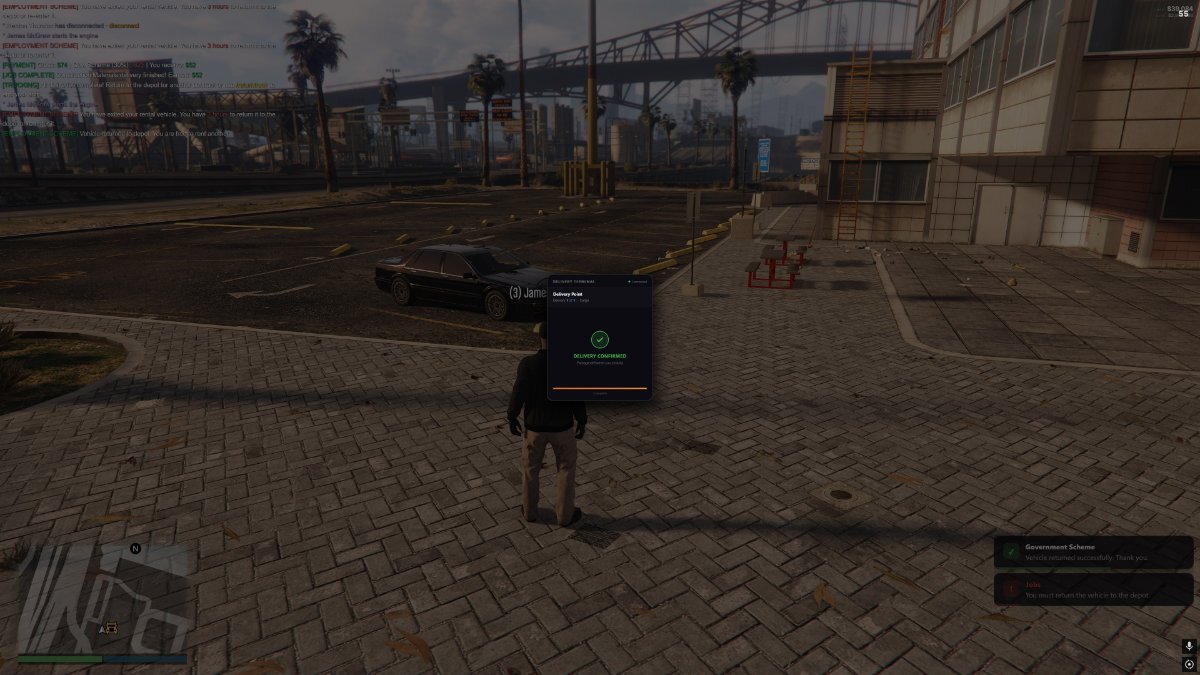
After completing Deliveries for the trucking job the delivery terminal stays on the screen the entire time. No way, that I know of, to get rid of it.